Looking for the games? Play Pip on the app. The book and the app are separate, and they work best together.
Ages 8 to 12
Coding teaches kids how computers work. Engineering teaches them what to build.
The world is changing fast, and today's children will lead it. As AI takes on more of the heavy lifting, the next level beyond coding is thinking like an engineer: breaking a problem down, testing ideas and finding a better way. This workbook starts those habits early, and makes them fun.
There is often more than one answer
School usually has one right answer at the back. Engineering does not. A truck can cross a bridge with strong planks or weak ones, a neat layout or a messy one. Both can work. Kids soon spot that there is a more efficient way, and they want to find it.
Getting it wrong is how it works
Every page invites a guess, a test and a fix. A wobbly bridge is a clue, not a failure. Kids get the freedom to explore, test and fail, then improve, which is exactly what real engineers do.
Real problems, applied thinking
Each activity is a real-world problem on Cogwell Island: pipes, circuits, cranes, robots, rockets. It is applied problem solving and outside-the-box thinking, not trivia.
Inside a page
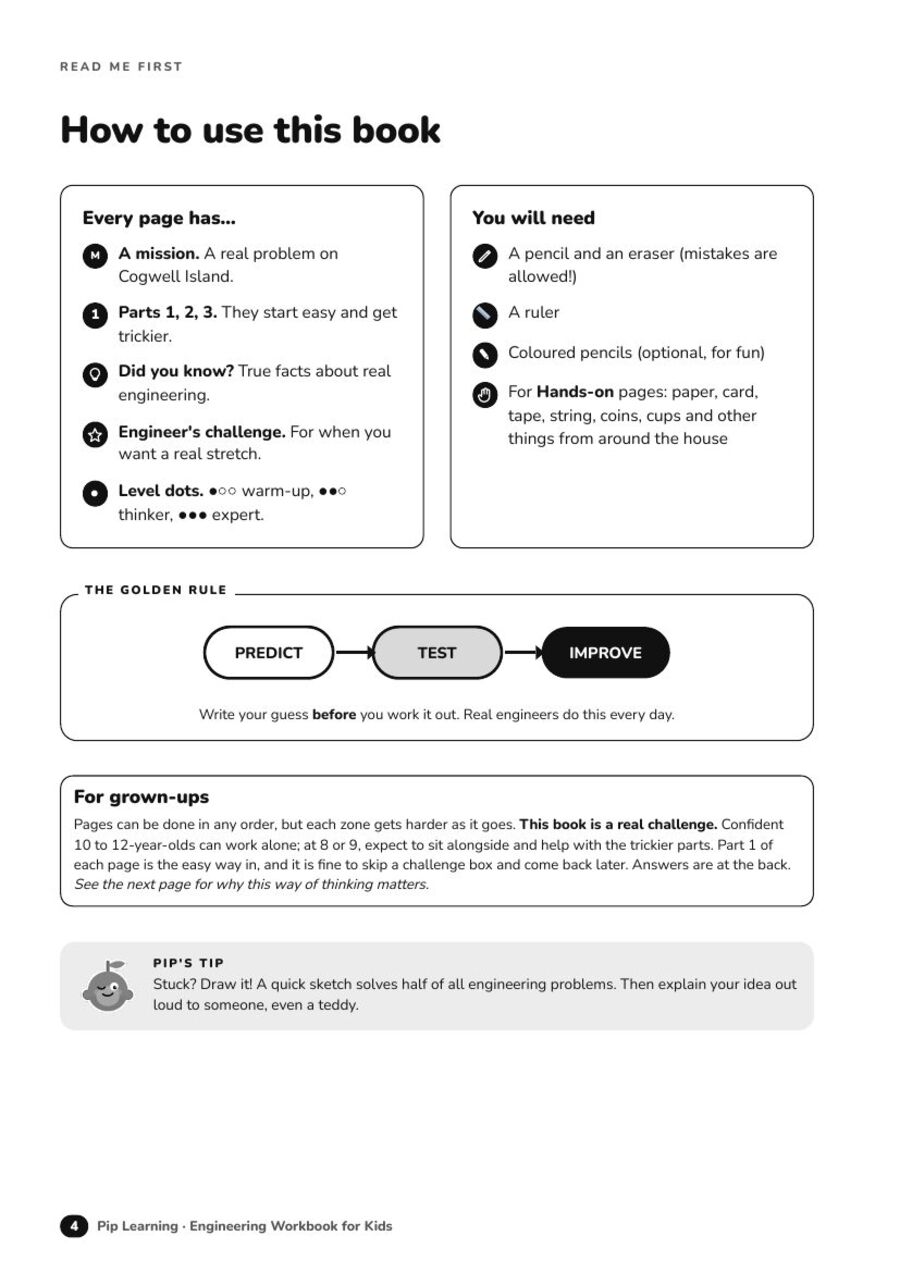
Every one of the 100 activities follows the same friendly shape, so kids always know where to start.
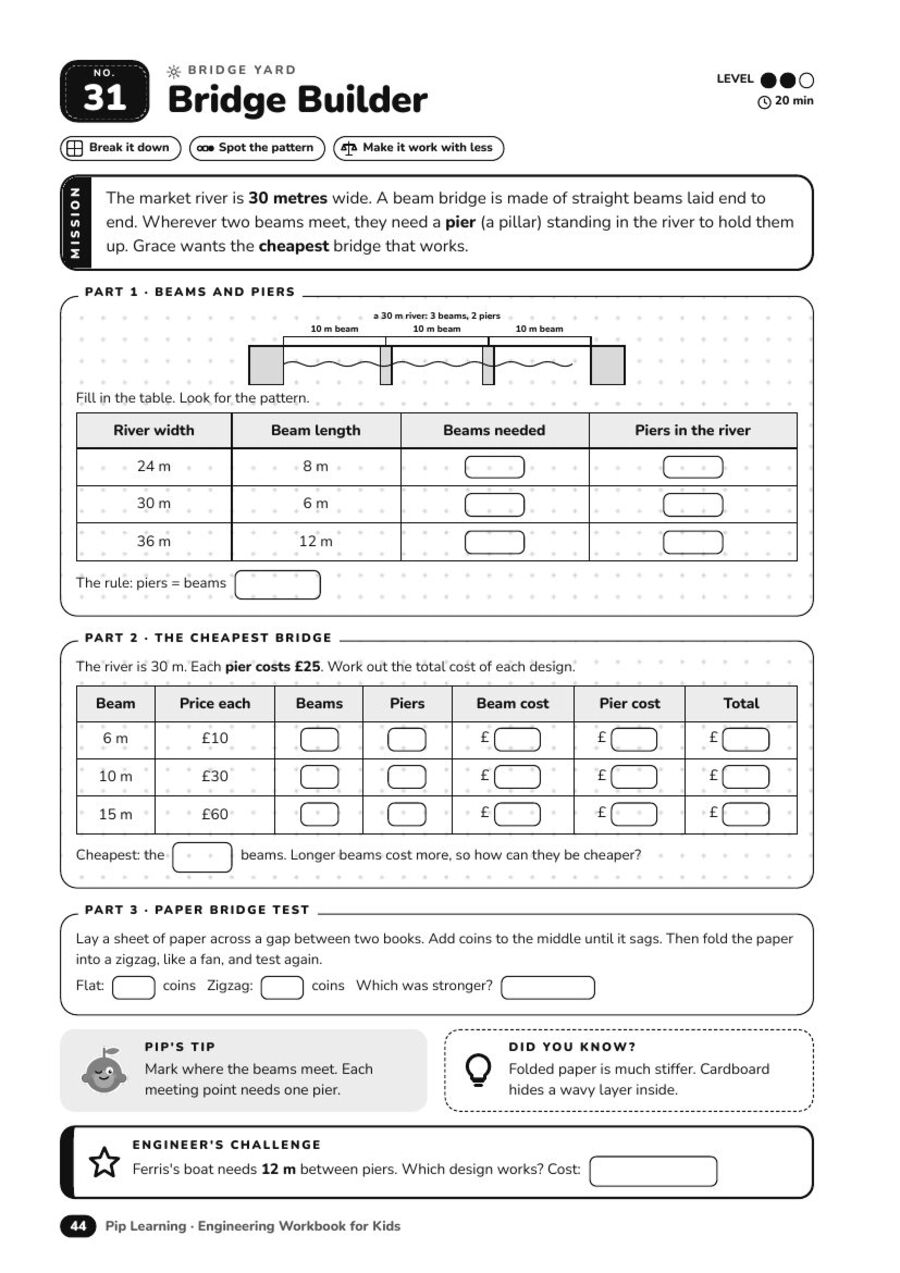
Activity 31, Bridge Builder
A mission. A short island story with a real problem, like a 30 metre river and a bridge to build.
Parts 1, 2 and 3. A gentle on-ramp first, then the real thinking. Tables, diagrams and answer boxes, with room to write and draw.
The cheapest bridge. Several designs can work. Kids compare cost and strength and hunt for the efficient one.
Pip's tip and Did you know? A nudge when they are stuck, and a true fact to remember.
Engineer's challenge. A harder twist at the bottom, so a confident 8 year old can start and an 11 year old is still stretched.
Level dots and time. One to three dots show how tricky it is and how long it takes.
10 zones, 100 activities
A journey round Cogwell Island, one zone at a time.
01
The Workshop
Gears, levers, pulleys, ramps and springs.
02
Power Plant
Circuits, logic gates, solar and wind.
03
Waterworks
Pipes, pressure, valves and leak hunting.
04
Bridge Yard
Bridges, towers, arches and earthquakes.
05
Transport Hub
Routes, timetables, traffic and conveyors.
06
Robot Lab
Algorithms, loops, sensors and debugging.
07
Sky Port
Paper planes, balloons, rockets and landers.
08
Design Studio
3D views, nets, scale and blueprints.
09
Eco Lab
Food webs, recycling, greenhouses and weather.
10
The Big Build
Capstone inventions and the final exam.
A taste of the pages
Just a few. There are 100 more where these came from.
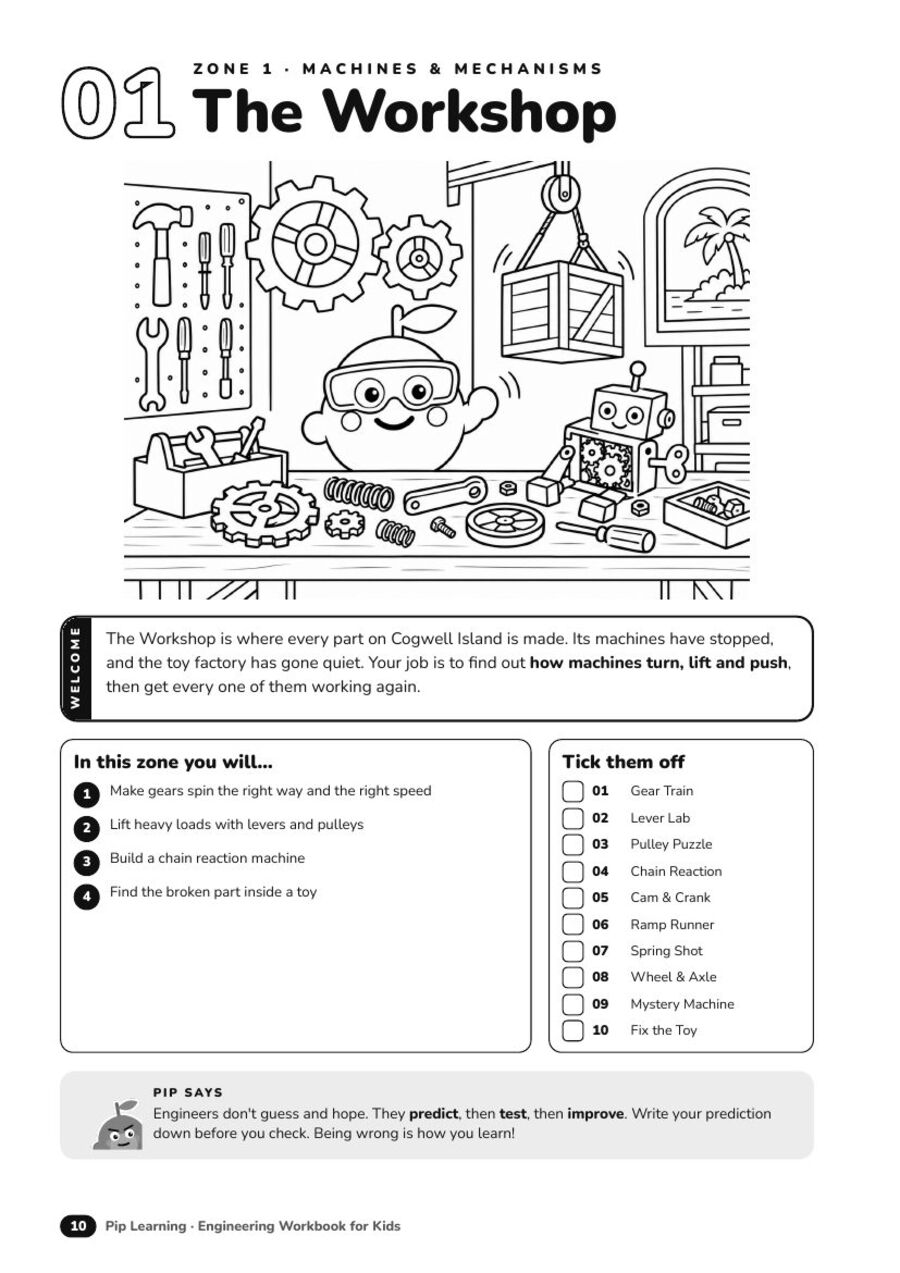
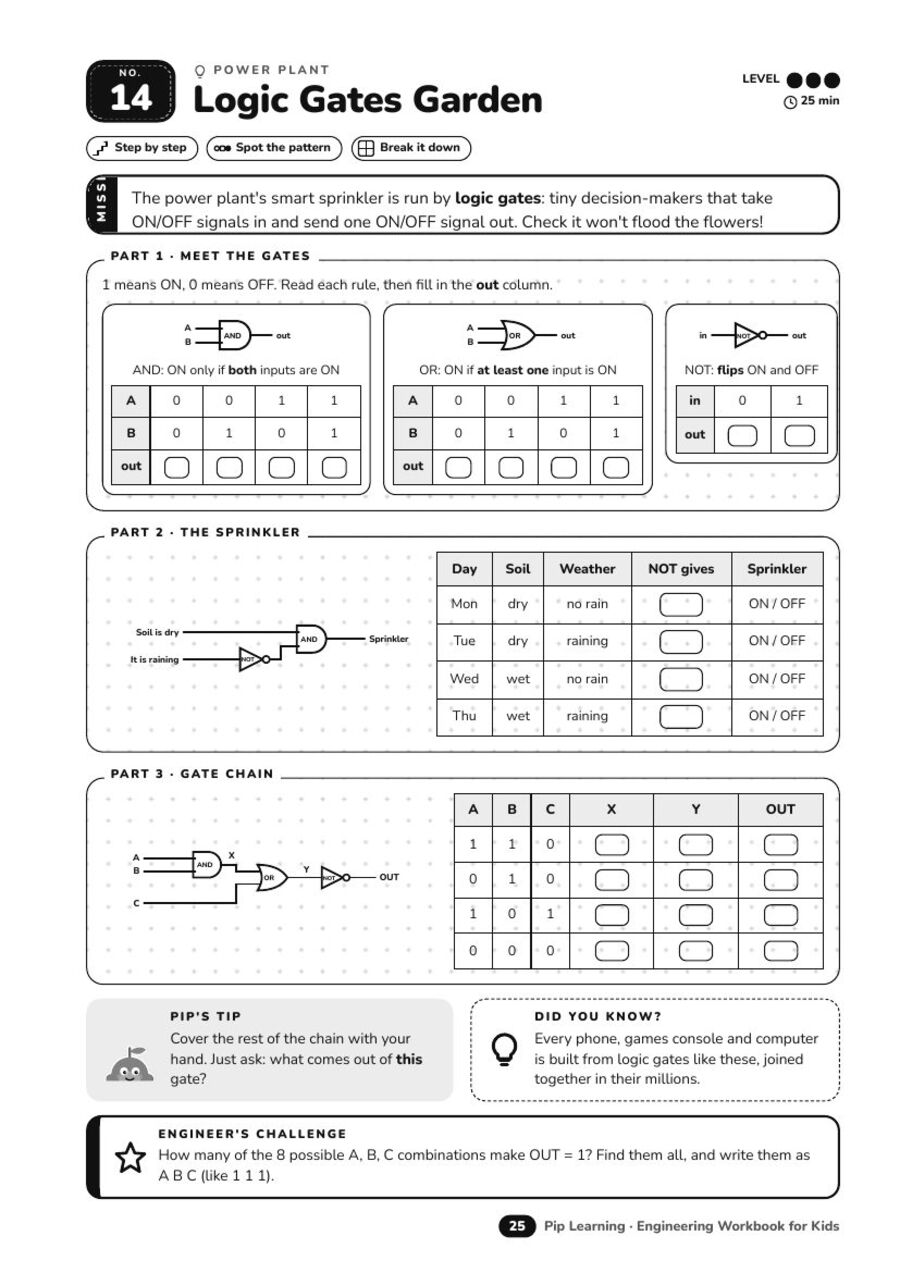
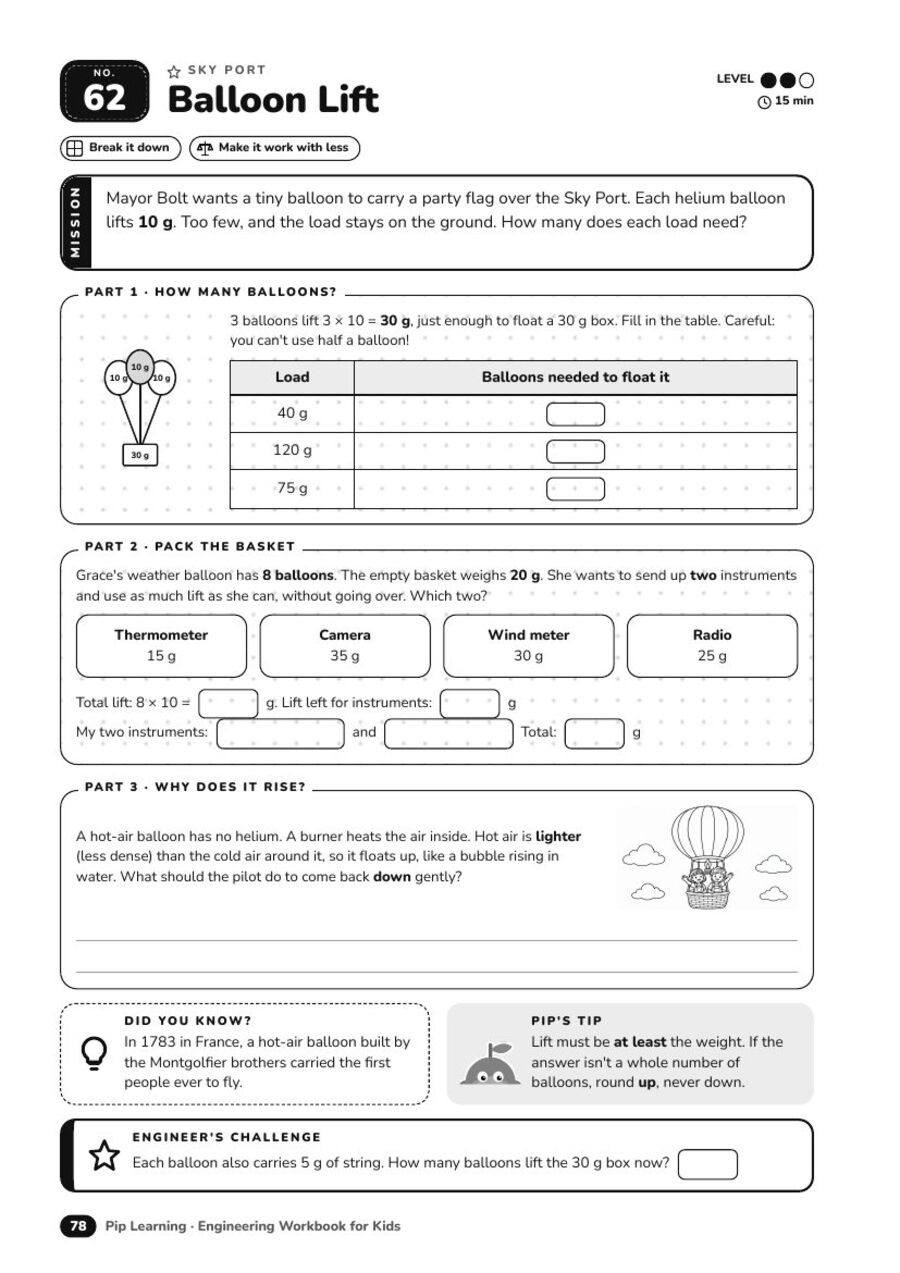
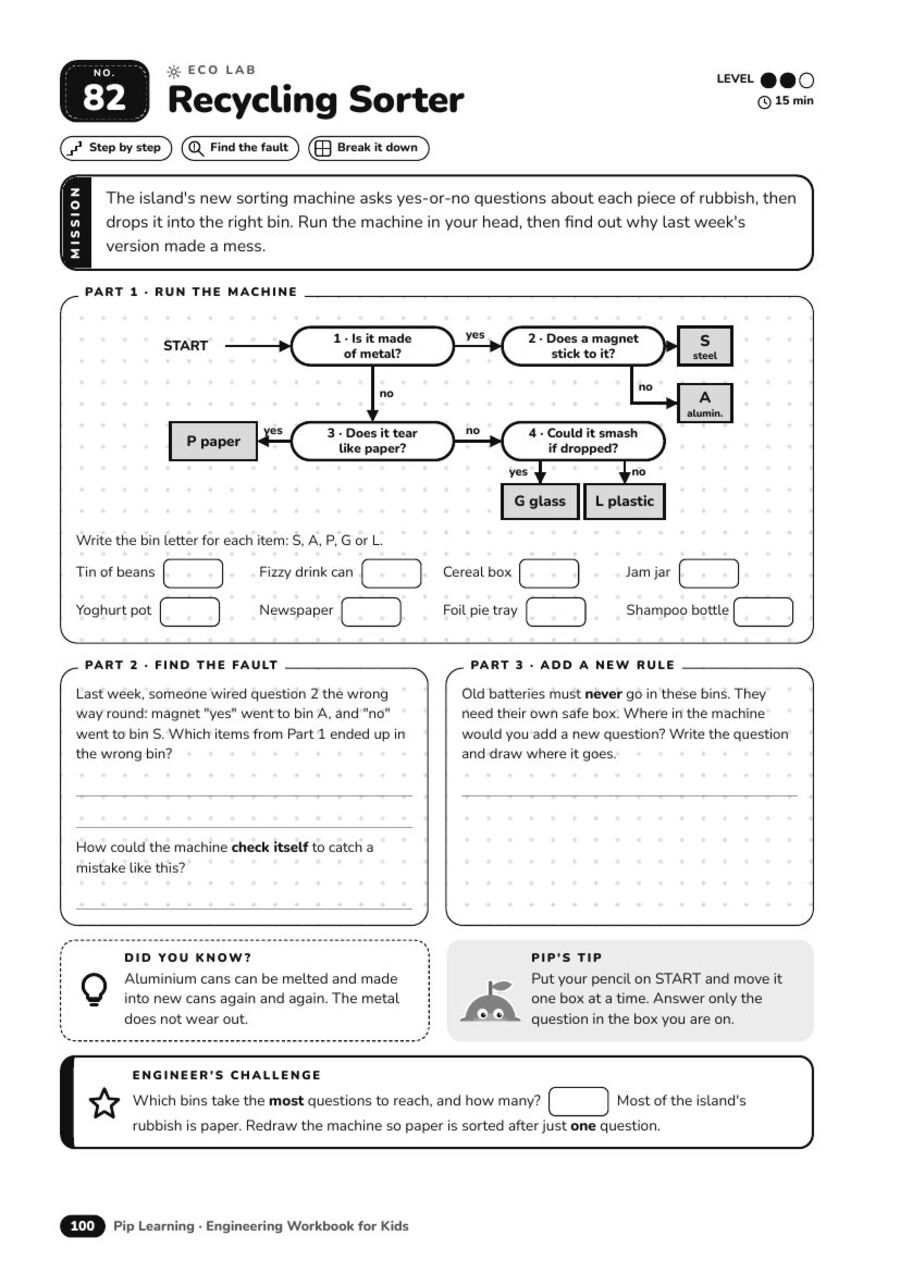
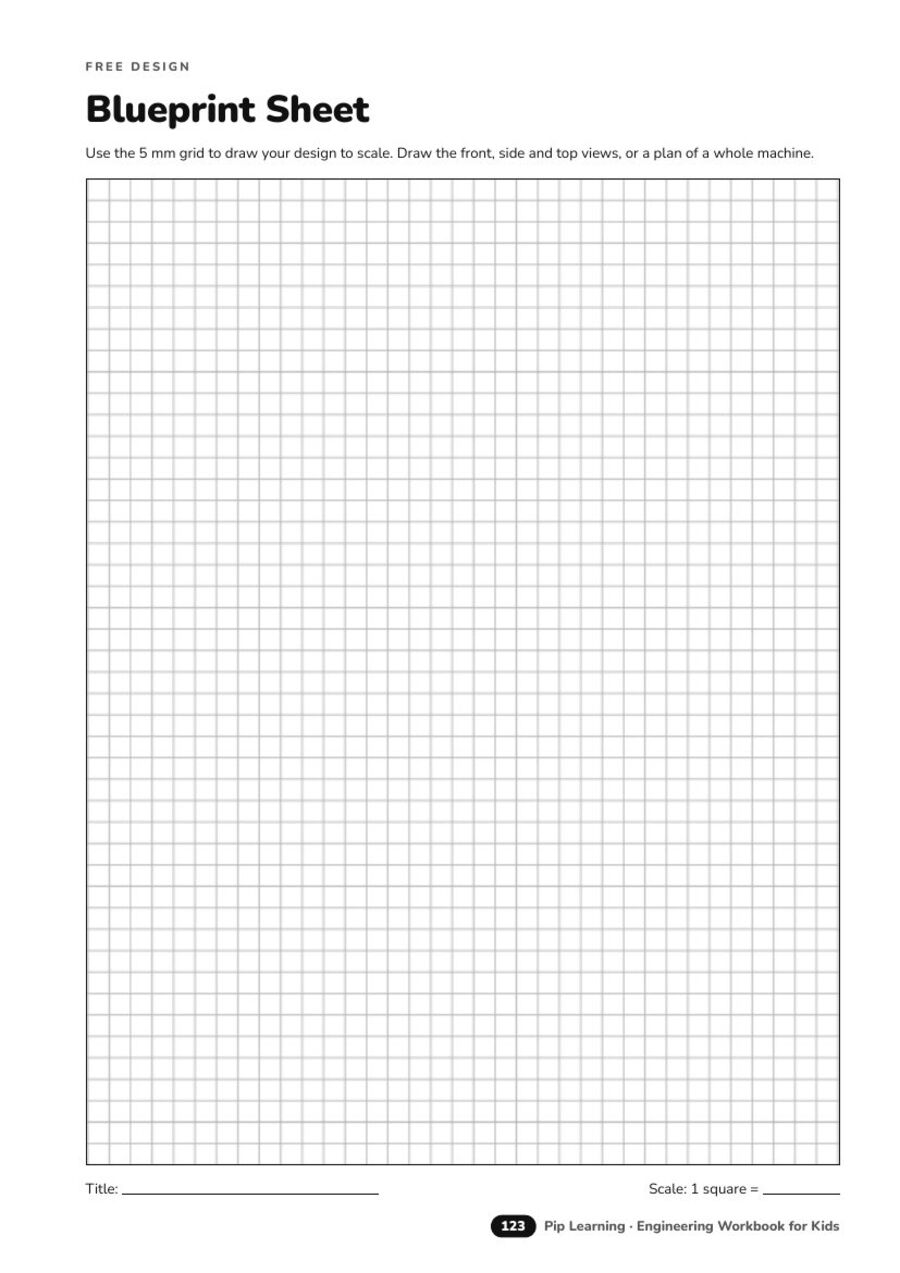
Zone openers with a scene to explore and a checklist to tick off.Logic Gates Garden. Truth tables and AND, OR, NOT, the same ideas inside computers.Balloon Lift. Maths and design: how many balloons does it take?Recycling Sorter. Follow the flowchart, then find the fault in the machine.The golden rule: predict, test, improve. Guess before you work it out.Blueprint sheets for free design and inventions of their own.
8 engineer habits, practised on every page
Break it down
Spot the pattern
Step by step
What affects what
See it in 3D
Make it work with less
Find the fault
Build, test, improve
These are the skills that last, from fixing a bug to designing a bridge. Coding, maths and science all lean on them.
Everything in the book
100 one-page activities, written for ages 8 to 12
Logic puzzles, patterns, 3D thinking, debugging and design challenges
Hands-on builds with everyday household items (adult-help pages are marked)
An Engineer's challenge on every page
A full answer key, with example answers for open-ended tasks
Blueprint sheets, an Engineer's Log and a Certificate of Engineering
Big A4 black and white pages with plenty of room to write and draw
Questions
What age is it for?
Ages 8 to 12. Part 1 of every page is an easy start, and the Engineer's challenge stretches confident kids.
Do we need the app?
No. The workbook is a complete printed book on its own. The Pip app is a separate way to play, with endless games. Many families do both.
Is there an answer key?
Yes, at the back. Every closed question has a worked answer, and open-ended tasks show a good example.
What do we need?
A pencil, an eraser and a ruler. Hands-on pages use safe household items, and anything with scissors, heat or water says Ask an adult.
Is it good for homeschool, car journeys and gifts?
Yes. Pages can be done in any order, and each takes about 15 to 25 minutes.
 Pip
Pip